Forma: building an editable design canvas
A local design-tool prototype exploring what happens after AI generates a component: reveal its structure, inspect it in 3D, and keep editing.
I built Forma to explore a question: what should happen after an AI gives you a design? I wanted a component I could take apart, understand, and change inside the same workspace.
Forma is a working local prototype. The canvas, layer inspection, appearance controls, and pixel-to-gradient editing are real. Live AI generation was not connected for this demo.
Watch the concept
The sequence starts with a prepared “Deep focus” component and its loading/reveal animation. I open its layers in 3D, rotate the stack, change the fill and corner radius, then sample an image, adjust color and luminance, move a gradient stop, and switch gradient type.
Building through conversation
I directed the work in Codex desktop, refining the product through short cycles of implementation, browser interaction, and visual feedback. The requests became more specific as I could use the canvas: quieter charcoal chrome, collapsible sidebars, clearer navigation, tighter typography, and better alignment.
Figma and Paper were references for the editing experience. I wanted the familiar relationship between a layer tree, canvas, and inspector, with room to explore how a component reveals its structure.
The reveal became a way to move from underlying geometry to finished content. The 3D view extended that idea: a compact stack for orientation and an expanded “sandwich” view for inspecting individual layers. One refinement was reversing the depth order so the solid root background sat behind the content instead of hiding it.
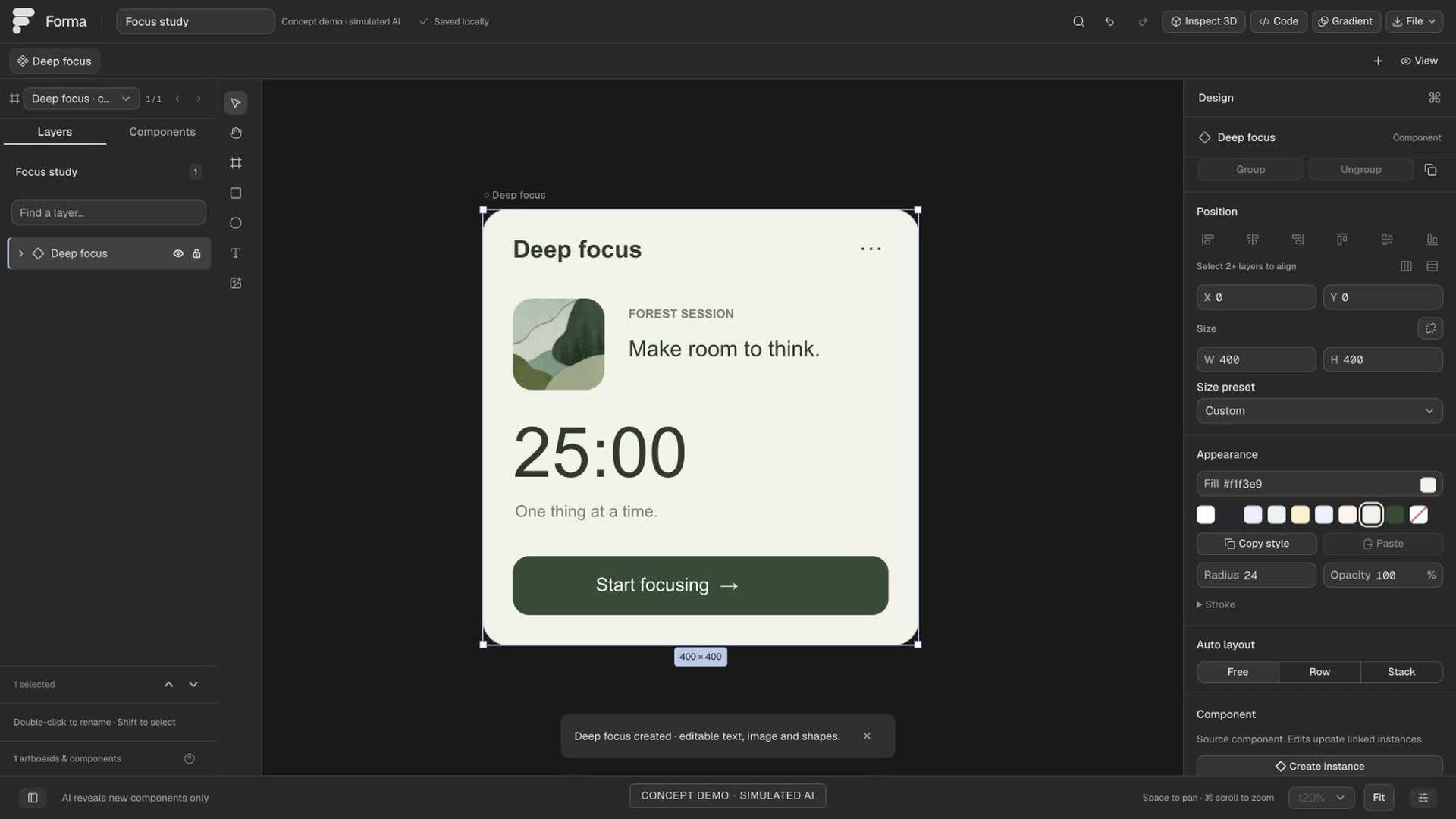
The prepared component becomes editable canvas content. The generation shown here is simulated.
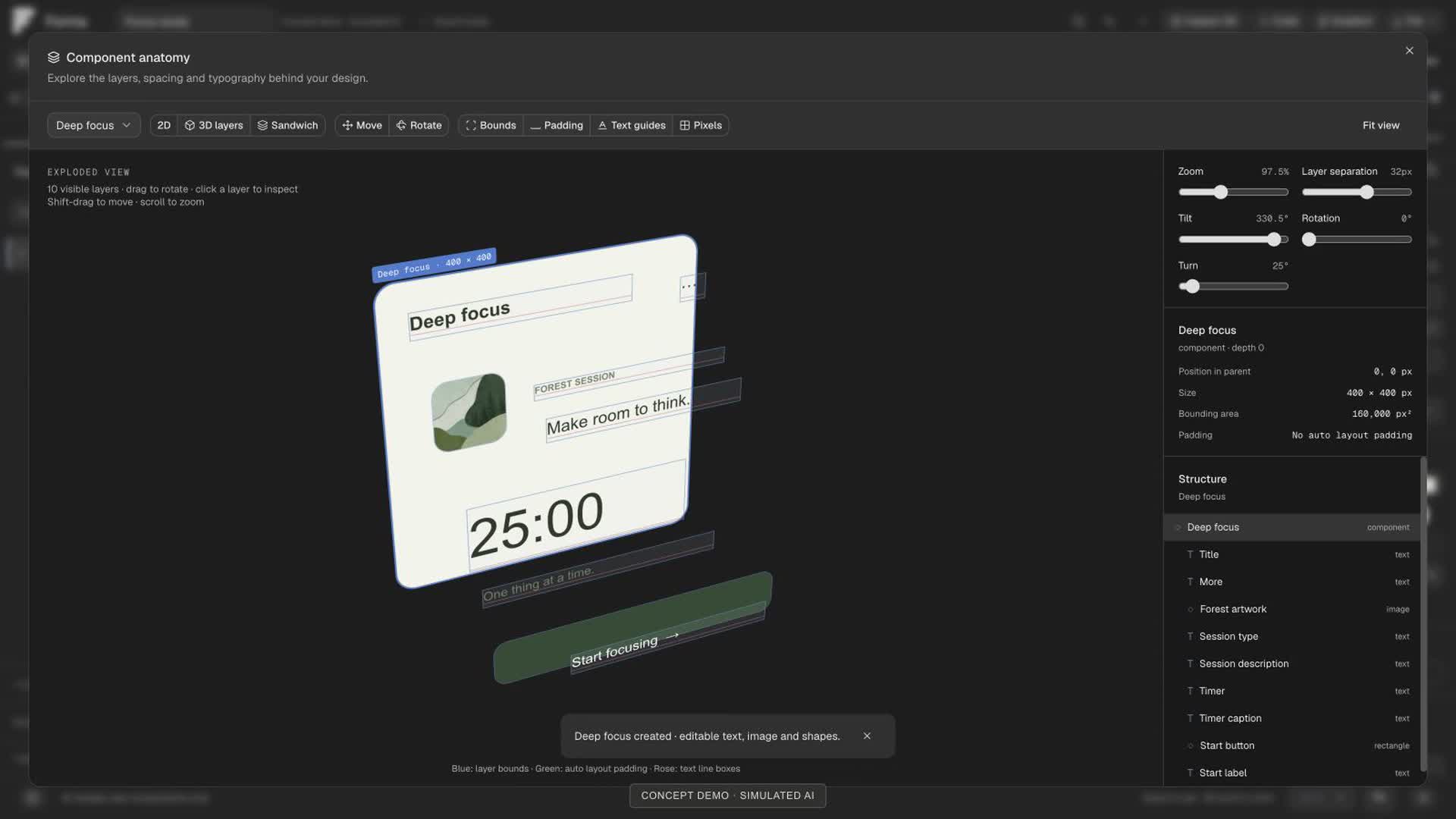
Layer separation makes the component's anatomy visible; dragging rotates the view.
Pixel sampling grew into another editing workflow. Instead of stopping at an extracted palette, I wanted to adjust sampled colors and luminance, reposition stops, and try different gradient types.
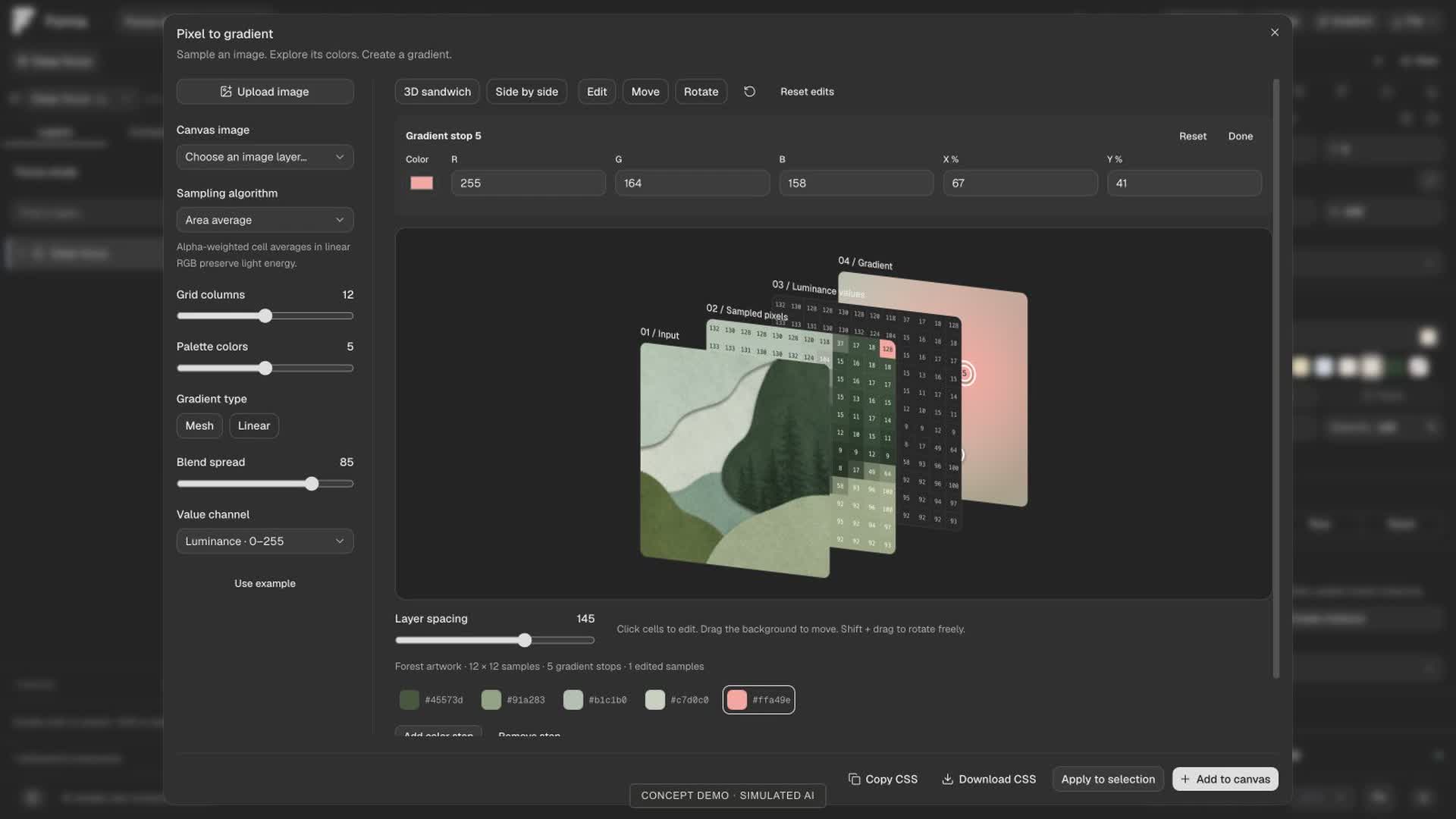
Image sampling feeds an editable gradient, with controls for color, luminance, and stop placement.
Tools and validation
The app uses React 19 and TypeScript with Vite, Tailwind CSS, shadcn/Radix controls, and Lucide icons. Motion handles animation; CSS 3D transforms power layer inspection. Local image sampling supplies the gradient editor, and Zod validates structured data.
I used Codex desktop for development, browser automation for clicks, drags, screenshots, and visual checks, and Bun for scripts and tests. The recorded development model was gpt-6-astra. A separate OpenAI provider adapter exists in the app, but it was not connected for the recording.
For the video, browser screenshots were captured at roughly 9–10 frames per second and assembled with Bun and FFmpeg into a 1080p H.264 file with a 60fps output cadence. It is not native 60fps screen capture; pauses between scenes were cut.
At the September 8 article check, all 76 source-project tests passed, including layer geometry, gradient editing, document transactions, and provider error handling. The concept footage demonstrates selected interactions, not production readiness. Live provider behavior, live code synchronization, and an MCP bridge are not demonstrated.
Tokens and cost
The recorded source-task snapshot at 07:32 UTC on September 8, 2026 totals 80,448,253 tokens. This is a cumulative snapshot of that task, not a final or verified all-agent build total. Work continued afterward; this portfolio article is outside its scope.
| Recorded usage | Tokens |
|---|---|
| Input, including cached input | 80,197,013 |
| Of that input, cached | 78,707,968 |
| Uncached input | 1,489,045 |
| Output, including reasoning | 251,240 |
| Total input + output | 80,448,253 |
About 98.1% of the input was cached. These counters include repeated context processing and cache reads, so they do not represent that much unique written material. Cached input is already included in input; reasoning is already included in output. I have not added either subset again. Child-agent inclusion is unverified, so a complete project token total is unavailable.
What those tokens would cost
$106.16 at GPT-6 Astra's standard API rates. This is a token-only API-equivalent estimate for the recorded snapshot, not my actual Codex bill. Official GPT-6 Astra pricing, checked September 8, 2026, lists $10 per million uncached input tokens, $1 per million cached input tokens, and $50 per million output tokens.
| Category | USD per 1M | Estimated USD |
|---|---|---|
| Cached input | $1 | $78.71 |
| Uncached input | $10 | $14.89 |
| Output | $50 | $12.56 |
| Total | — | $106.16 |
Caching changes the economics: it accounts for 97.84% of all tokens but about 74.14% of this estimated cost. I subtract cached input from total input before applying the uncached rate. The snapshot records zero cache-write tokens.
This calculation assumes standard processing and no request above 272,000 input tokens. Under the published API rules, longer requests double input/cache rates and multiply output rates by 1.5; Fast mode doubles applicable rates. With Fast mode alone, the same snapshot would be $212.32. The cumulative snapshot does not establish the request-by-request mix, so neither figure reconstructs actual billing. These estimates exclude tool charges and usage outside the snapshot.
Actual build cost: unavailable / not separately metered. There is no verified per-project billing amount. The concept used no live generation API call, but that does not make the build free. Codex subscription usage cannot be treated as an API invoice.
What I learned
The most useful iterations came from trying to edit the result. A reveal can explain structure, and a 3D stack can make that structure tangible, but both need to lead back to controls that work. Forma gave me a local place to explore that transition. Connecting and validating the live provider remains a separate next step.